Building a language-learning game with AI
Yesterday, we hosted another AI Native School Demo Day, where students and parents got a hands-on look at what students can build with AI.
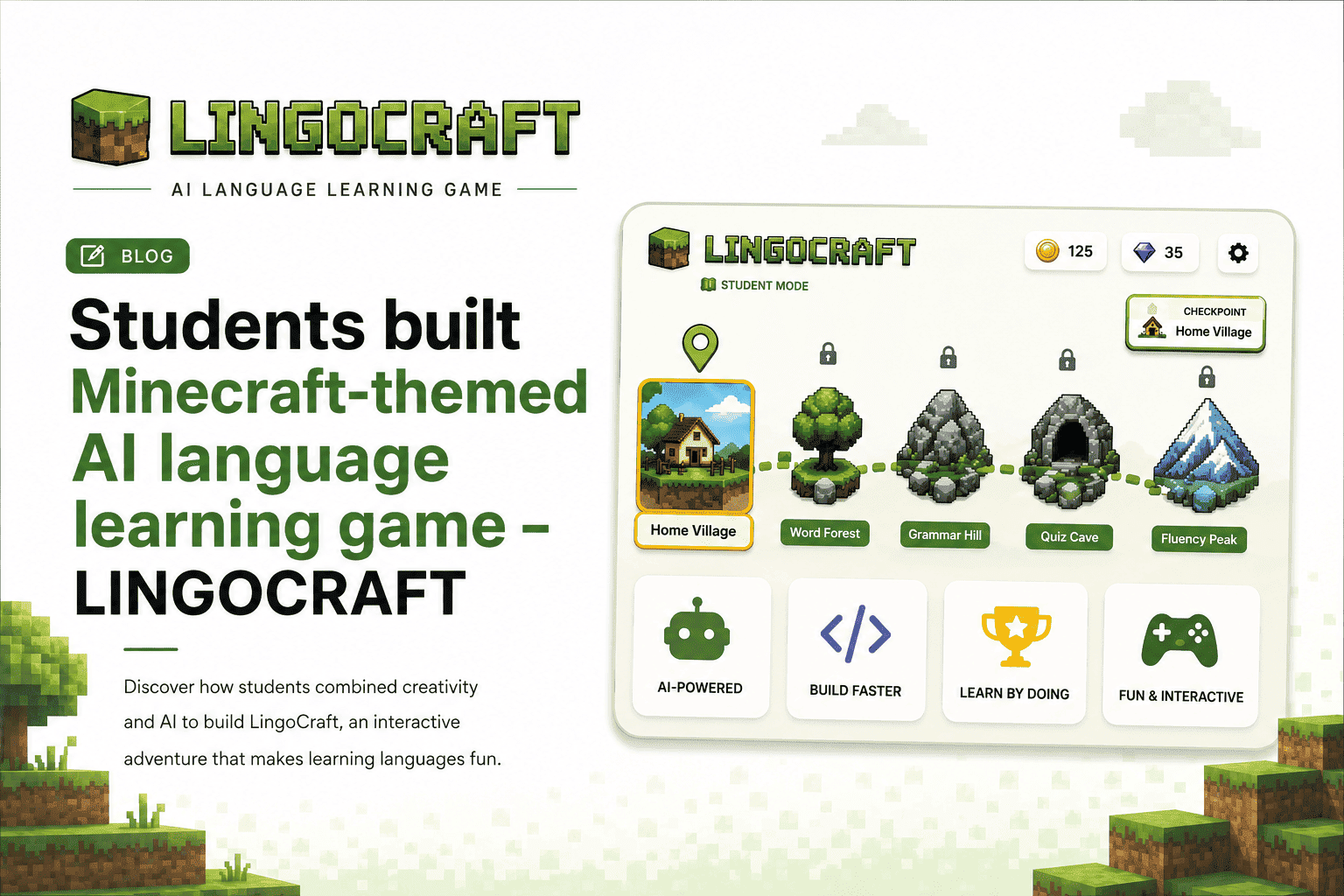
This time, they built LINGOCRAFT, a Minecraft-inspired language-learning game that runs directly in the browser with no login required.
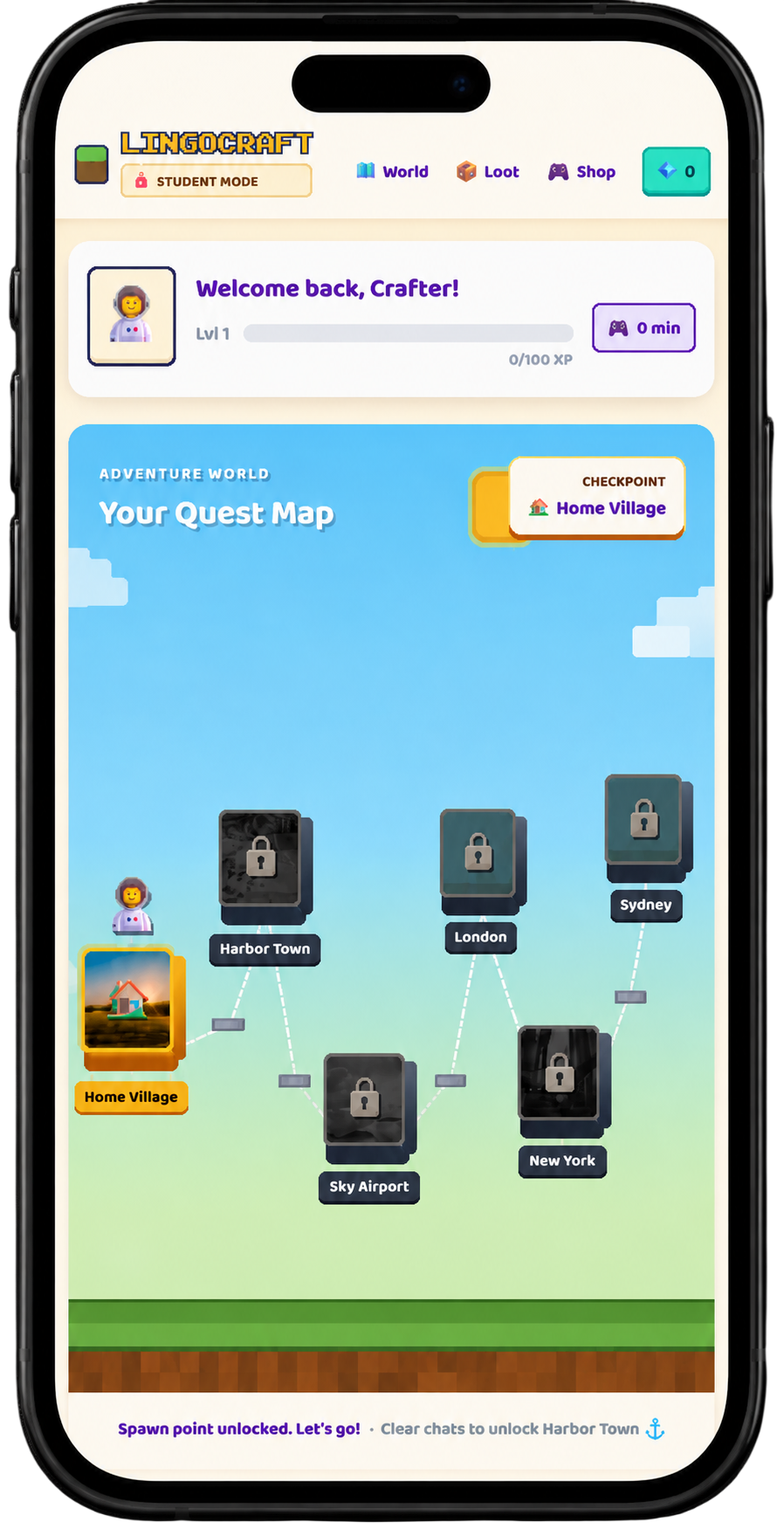
Students can explore a block-world map, talk to AI characters, complete real-world language quests, earn gems and XP, unlock new areas, and collect new vocabulary.
What is LINGOCRAFT?
LINGOCRAFT turns language practice into a game.
Students start in Home Village and unlock destinations such as Harbour Town, Sky Airport, London, New York, and Sydney as they progress.
Along the way, they practise real conversations:
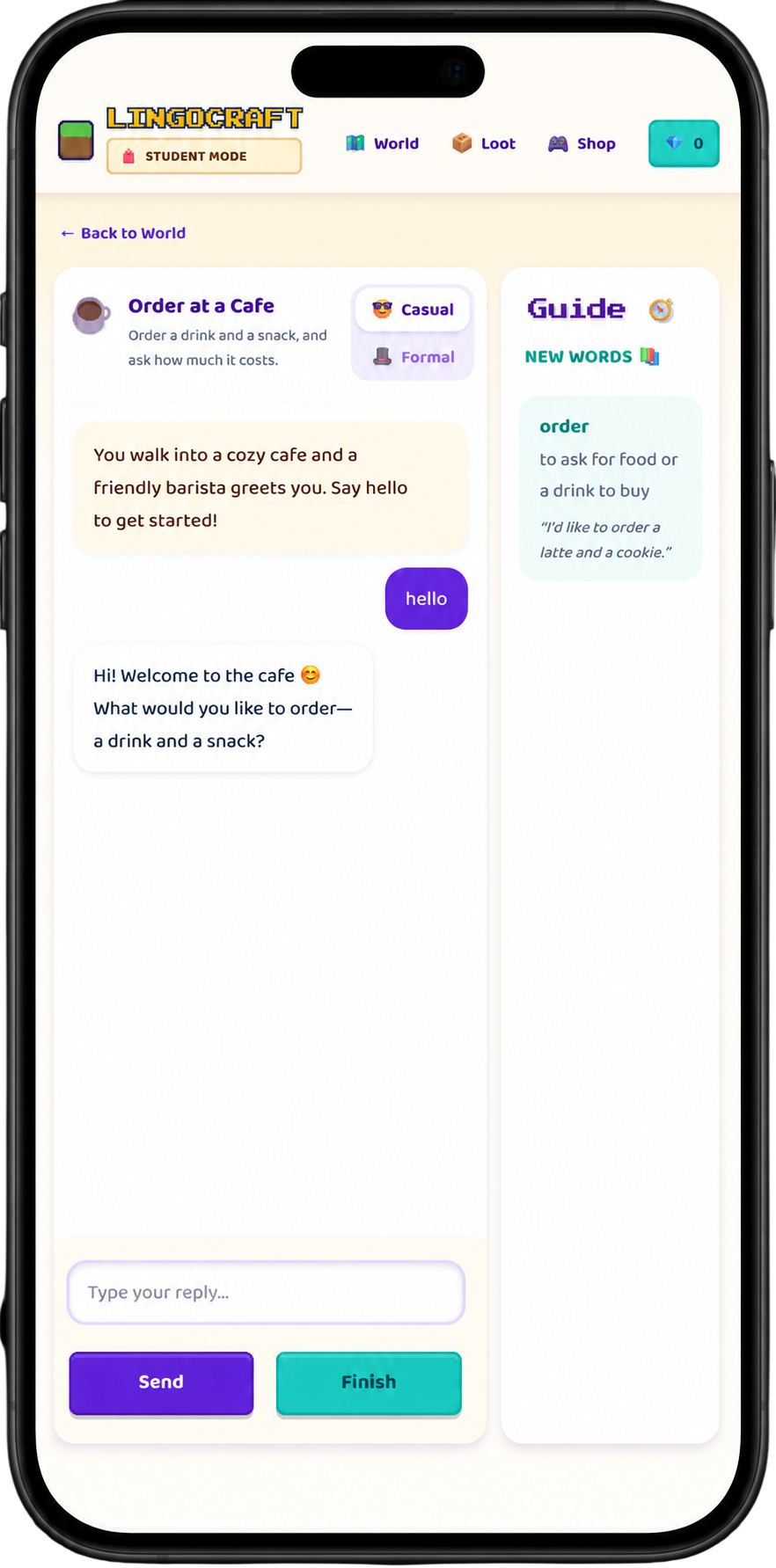
- Ordering a coffee
- Asking for directions
- Meeting someone new
- Practising formal and casual English
- Collecting new vocabulary in the Word Chest
Instead of memorising words from flashcards, students use language to actually complete something.
Learning by building
The most interesting part is that students built LINGOCRAFT themselves.
They weren't just learning about app development. They were making decisions, testing ideas, solving problems, debugging conversations, and seeing their work run in a browser.
The first GitHub commit was made on July 8, 2026.
That's the difference between:
"I learned how apps are built."
and:
"I built an app."
How the AI works
Inside each quest, students have real-time conversations with AI characters.
The AI can provide gentle grammar and vocabulary hints while keeping the conversation going.
Students can also switch between formal and casual English depending on the situation.
And if an AI API isn't available, the app falls back to built-in responses so the experience doesn't simply break.
The progression loop
The game follows a simple loop:
Talk → complete quests → earn XP and gems → unlock new areas → keep playing.
The same progression mechanics that make games engaging are being used to encourage language practice.
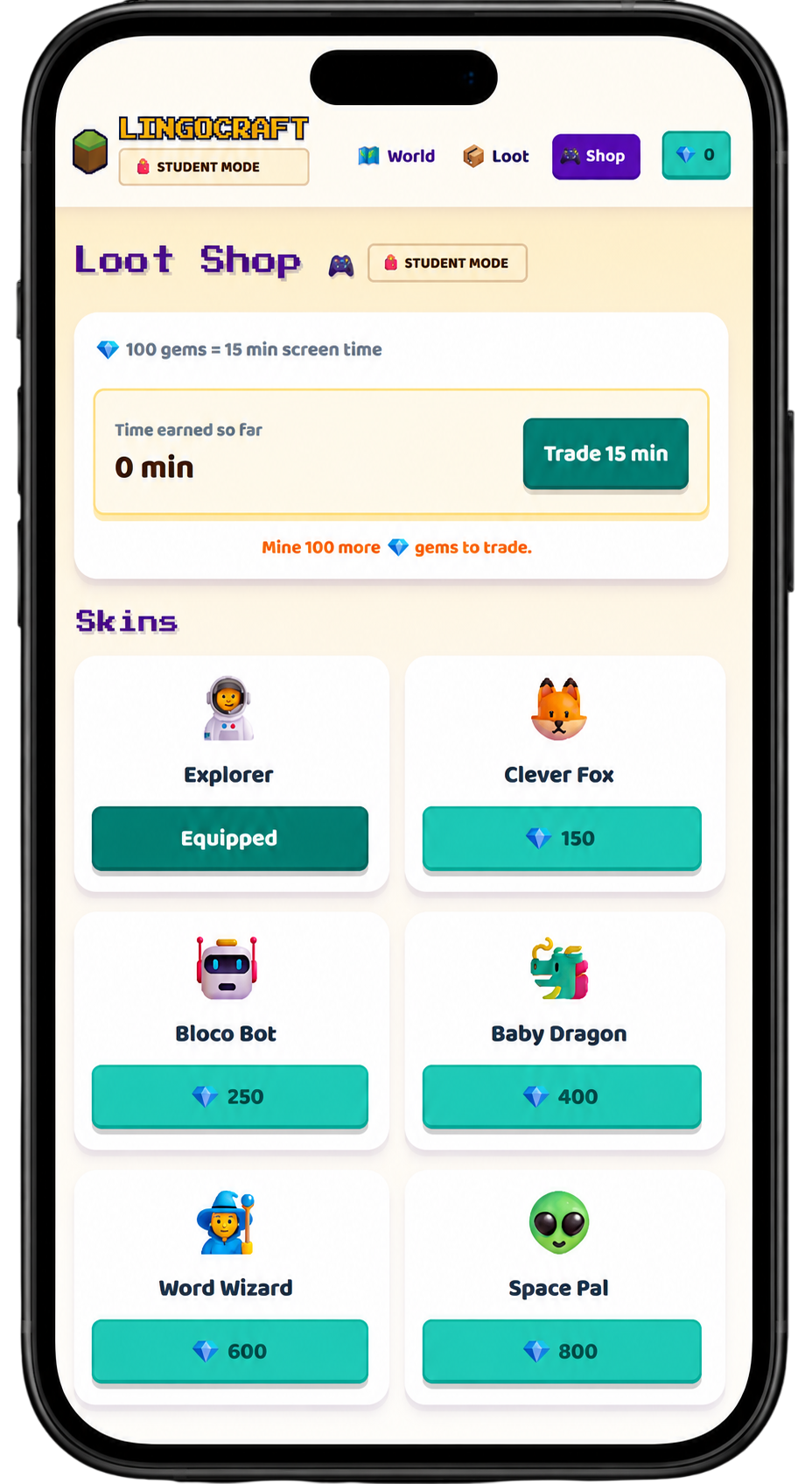
There's even a Loot Shop where 100 gems can be exchanged for 15 minutes of screen time.
Built with real technology
LINGOCRAFT uses:
- Next.js
- TypeScript
- Tailwind CSS
- resilient-llm
There are no accounts or databases required. Progress is saved in the browser.
The project is also open source, so other educators can fork it and adapt it for their own classrooms.
Explore the source code on GitHub
Try it yourself
- Play LINGOCRAFT: Open the live app
- Watch the demo: See it on YouTube
- Explore the code: GitHub
- See more projects: AI Native Labs
When students build a learning tool, they learn twice: once while building it, and again when they use it.
That's what project-based learning looks like at AI Native School.
More Demo Days are coming soon, with new projects and new opportunities for students to build with AI.